
Choosing the right gaming PC can make a major difference in how you experience modern games. Resolution, frame rates, graphics quality, and system stability all affect gameplay. For gamers who want sharp visuals and smooth performance without moving to a demanding 4K setup, 1440p resolution is an excellent option. It offers more detail than 1080p while remaining easier to run than 4K in many games. 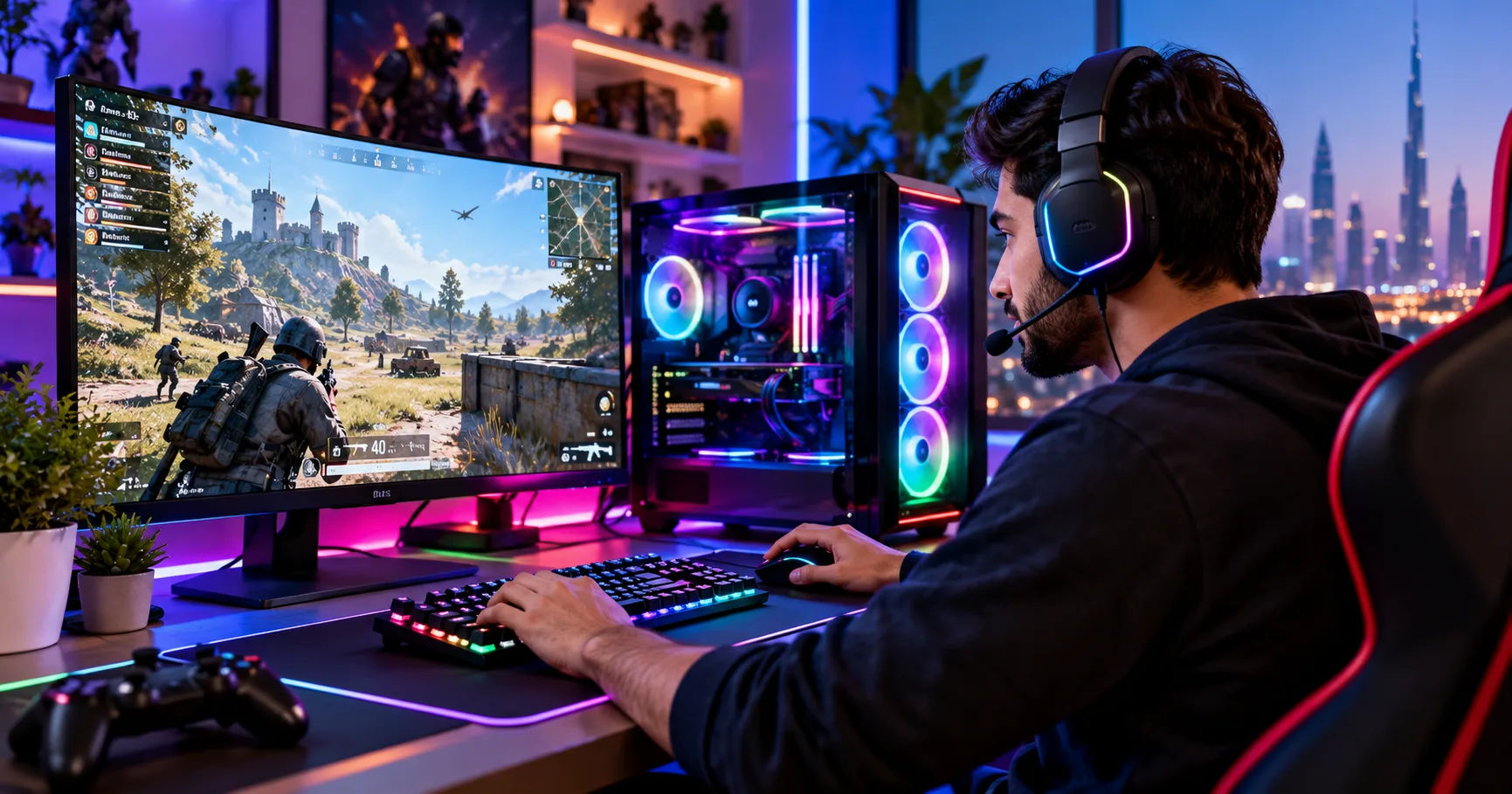 A gaming pc 5080 is a powerful option for players who want high frame rates, detailed graphics, and the flexibility to enjoy demanding games for years. A system built around NVIDIA's GeForce RTX 5080 graphics card is designed for high-end gaming, making it particularly attractive to enthusiasts who want excellent performance at 1440p. However, the overall experience also depends on the processor, memory, cooling, monitor, and settings you choose.
The good news is that the RTX 5080 is more than capable of handling 1440p gaming. In many titles, it can deliver exceptionally high frame rates, support demanding ray-tracing effects, and take advantage of modern upscaling technologies. Understanding what the hardware offers will help you decide whether this level of performance is right for your needs and budget.
1440p Gaming
1440p gaming uses a display resolution of 2560 × 1440 pixels. It is commonly called QHD or Quad HD and provides significantly more detail than standard Full HD, which uses 1920 × 1080 pixels.
The additional pixels make textures, distant objects, character details, and environments look sharper. This improvement is especially noticeable on monitors between 27 and 32 inches, depending on viewing distance and panel quality.
1440p is also popular because it offers a useful balance between visual quality and performance. Although it requires more graphics processing power than 1080p, it is generally less demanding than 4K.
Why Gamers Choose 1440p
There are several reasons why this resolution has become a popular choice for gaming PCs.
-
Sharper images: Games look more detailed than they do at 1080p.
-
High refresh rates: A powerful graphics card can support smooth gameplay on 144Hz, 165Hz, 240Hz, or faster monitors, depending on the game.
-
Balanced hardware demands: You can achieve excellent visual quality without needing to render as many pixels as 4K.
-
Versatility: The resolution works well for competitive shooters, open-world adventures, racing games, and strategy titles.
For many players, 1440p offers the right combination of clarity, responsiveness, and graphical quality.
How Powerful Is the RTX 5080 for 1440p Gaming?
The NVIDIA GeForce RTX 5080 is a high-end graphics card based on the Blackwell architecture. It includes 10,752 CUDA cores, 16GB of GDDR7 video memory, and a 256-bit memory interface. These specifications make it suitable for demanding modern games, high-resolution textures, and advanced graphical effects.
For someone considering a gaming pc 5080, the most important benefit is the ability to run many games at 1440p with high or ultra graphics settings while maintaining smooth performance.
However, performance varies from game to game. A competitive shooter may run at several hundred frames per second, while a visually demanding open-world game with intensive ray tracing may require upscaling or reduced settings to achieve the same smoothness.
Expected Frame Rates at 1440p
Actual results depend on the game version, graphics settings, processor, drivers, and whether upscaling or frame generation is enabled. The following table provides illustrative performance ranges rather than guaranteed benchmark results.
|
Game category |
Illustrative performance expectation |
|---|---|
|
Competitive shooters |
Often 200 FPS or higher |
|
Esports games with optimized settings |
Potentially 300 FPS or higher |
|
Modern AAA games without heavy ray tracing |
Often 100–200 FPS |
|
Demanding games at ultra settings |
Commonly around 80–160 FPS |
|
Games with intensive ray tracing |
May require DLSS to maintain high frame rates |
These ranges are broad estimates, not results from a single controlled benchmark. Some games will fall outside them, particularly when CPU limitations, simulation complexity, or demanding graphical effects affect performance.
Independent testing of the RTX 5080 has demonstrated strong 1440p results in demanding titles. For example, TechSpot recorded 108 frames per second in Marvel Rivals at 1440p under its tested conditions. Its broader testing also found that the performance advantage over the previous RTX 4080 Super was relatively modest in some games.
This distinction matters when evaluating value. The RTX 5080 is a powerful card, but buyers should compare its actual performance and price with competing hardware rather than assuming every newer generation delivers a dramatic improvement.
Is It Suitable for Ultra Settings?
Yes. The RTX 5080 is well suited to playing many games at 1440p with ultra settings.
High-quality textures, detailed shadows, realistic reflections, and advanced lighting can make games look more immersive. The card has enough processing power to handle many of these effects without requiring major reductions in image quality.
Some games are exceptionally demanding, however. Path tracing and advanced ray tracing can significantly increase the workload. In these situations, using a high-quality upscaling mode or adjusting a few expensive settings can improve performance.
Ultra settings are not always necessary, either. High settings often provide nearly the same visual experience while delivering better frame rates. Competitive players may benefit more from stable performance than from the smallest possible improvement in shadows or reflections.
The Benefits of DLSS and Frame Generation
One of the main advantages of a modern NVIDIA graphics card is access to DLSS technology. DLSS uses AI-based techniques to improve rendering performance and image quality in supported games.
The RTX 5080 supports DLSS 4 features, including Super Resolution and Multi Frame Generation. Availability and specific options depend on the game and software configuration.
DLSS Super Resolution
DLSS Super Resolution renders a game internally at a lower resolution and reconstructs the image to produce a higher-resolution result.
At 1440p, this can help improve frame rates without sacrificing as much visual detail as a simple reduction in resolution might. The Quality mode is a useful starting point when you want to preserve image clarity.
Different modes offer different balances between performance and image quality. Performance modes can provide larger gains, but image reconstruction may become more noticeable in fine details, thin objects, or fast-moving scenes.
Multi Frame Generation
Frame generation creates additional frames using AI-assisted techniques. Multi Frame Generation can produce several generated frames for each traditionally rendered frame in supported games.
This can make the displayed image appear much smoother, particularly in visually demanding single-player games. However, generated frames are not equivalent to the same number of frames rendered directly by the game engine.
For competitive gaming, the underlying frame rate and input responsiveness remain important. Frame generation can improve perceived smoothness, but it does not automatically provide the responsiveness of an equally high native frame rate.
A well-configured gaming pc 5080 can benefit from these features, especially in graphically intensive titles where maintaining high settings would otherwise reduce performance.
Ray Tracing at 1440p
Ray tracing simulates how light interacts with objects and surfaces. Depending on the game, it can improve reflections, shadows, indirect lighting, and overall realism.
The RTX 5080 has dedicated ray-tracing hardware designed to accelerate these calculations. This makes it a strong choice for gamers who want advanced visual effects without giving up high-resolution gameplay.
What Performance Should You Expect?
Light or moderate ray-tracing implementations may run smoothly at 1440p with high settings. More demanding implementations, particularly path tracing, can reduce frame rates substantially.
For example, testing reported by GamersNexus showed that the RTX 5080 could deliver 117 FPS in Dying Light 2 at 1440p with ray tracing and upscaling enabled under its test conditions. Results vary significantly across games, so this figure should not be treated as a universal benchmark.
If you prefer ray tracing, start with the game's high-quality preset and enable DLSS Quality if performance needs improvement. You can then adjust reflection quality, lighting effects, and other demanding options individually.
For gamers who value competitive responsiveness above visual realism, disabling ray tracing may be the better choice.
Choosing the Right Processor for Your Gaming PC
The graphics card is only one part of a gaming system. The processor determines how quickly the game can prepare work for the GPU, manage game logic, and handle background tasks.
At 1440p, the RTX 5080 can deliver such high frame rates that the processor becomes a limiting factor in some games. This is particularly noticeable in esports titles, simulation games, and large multiplayer environments.
Recommended Processor Options
A modern high-performance processor is a sensible match for this graphics card.
-
AMD Ryzen 7 9800X3D: An excellent option for a gaming-focused build, especially when high frame rates and strong gaming performance are priorities.
-
AMD Ryzen 7 9700X: A capable alternative for a balanced gaming and productivity system.
-
AMD Ryzen 9 series processors: Worth considering if you also perform demanding workstation tasks, content creation, or heavy multitasking.
-
Intel Core Ultra desktop processors: Can also provide strong performance, depending on the specific model, game, and overall system configuration.
The most expensive processor is not automatically the best choice. Compare gaming benchmarks, platform costs, power consumption, and the applications you use.
For a dedicated gaming build, a well-matched processor is generally more valuable than spending extra money on CPU cores that your games rarely use.
How Much RAM and Storage Do You Need?
Memory and storage also affect the overall experience. Although the RTX 5080 handles graphics, the rest of the system must provide enough memory and fast access to game files.
Recommended RAM
For a high-end 1440p gaming PC, 32GB of DDR5 RAM is a practical recommendation.
It provides enough capacity for most modern games, voice chat, launchers, browser tabs, and background applications. Gamers who stream, edit videos, or work with demanding creative software may benefit from 64GB.
Memory speed and compatibility matter, too. Choose a kit supported by your motherboard and processor, and enable the appropriate memory profile in the BIOS after confirming system stability.
SSD Storage
A 1TB NVMe SSD is a reasonable starting point, but 2TB is often more convenient for a high-end gaming system.
Modern games can occupy substantial storage space, especially when you install multiple large titles. A fast SSD also helps reduce loading times and makes updates and file transfers more convenient.
If your budget allows, choose a quality PCIe 4.0 or PCIe 5.0 NVMe drive based on its price, capacity, reliability, and real-world performance. A premium PCIe 5.0 drive is not essential for excellent gaming performance.
Power Supply and Cooling Requirements
The RTX 5080 is powerful hardware, so the power supply and cooling system deserve careful consideration.
NVIDIA specifies a total graphics power of 360 watts for its reference design and recommends an 850-watt system power supply under its stated configuration. Actual requirements can vary with the processor and other components.
Selecting the Right Power Supply
For a gaming pc 5080, consider a reputable 850W or higher-quality power supply that meets the requirements of your complete system.
Look for an appropriate ATX 3.x unit with a compatible native GPU power cable where possible. Follow the graphics card manufacturer's installation instructions, ensure the connector is fully seated, and avoid sharply bending the cable near the plug.
A higher-wattage unit may make sense when pairing the GPU with a power-hungry processor or planning future upgrades. However, buying a much larger power supply does not automatically improve frame rates.
Keeping Temperatures Under Control
A good cooling setup helps maintain stable performance during long gaming sessions.
Choose a case with adequate airflow, unobstructed intake vents, and sufficient room for the graphics card. Install suitable case fans and use a reliable CPU cooler appropriate for your processor.
Clean dust filters regularly, keep cables away from fan blades, and monitor temperatures during demanding games. If the system becomes unusually loud or hot, check fan curves, airflow, and cooler installation before assuming the graphics card is faulty.
Choosing the Best 1440p Gaming Monitor
A powerful PC needs a monitor that can display the performance it produces. Buying an expensive graphics card while using a basic 60Hz screen can limit the visible benefits of a high frame rate.
144Hz, 165Hz, or 240Hz?
The right refresh rate depends on the games you play.
-
144Hz: A strong choice for general gaming, offering smooth motion and a substantial improvement over 60Hz.
-
165Hz: A useful middle ground for players who want responsive gameplay without prioritizing the highest available refresh rate.
-
240Hz: Particularly attractive for competitive shooters and other fast-paced games.
-
360Hz or higher: Best suited to specialized competitive setups where the game and processor can sustain exceptionally high frame rates.
A gaming pc 5080 pairs well with a 1440p monitor that supports a high refresh rate and variable refresh rate technology.
Consider panel quality as well. IPS displays often offer a useful balance of color and response time, while OLED monitors can provide excellent contrast and very fast pixel response. OLED models may cost more and require sensible care to reduce the risk of image retention.
Also check DisplayPort or HDMI compatibility, the monitor's supported refresh rate, and whether the desired resolution and refresh rate work together.
Is a Gaming PC 5080 Worth the Money for 1440p?
The RTX 5080 is a premium graphics card, so value depends on your budget, preferred games, and performance goals.
If you are upgrading from an older midrange graphics card, the performance improvement may be substantial. If you already own an RTX 4080 Super or a similarly powerful GPU, however, the difference may not justify the expense for 1440p gaming alone.
Independent benchmarks show that the RTX 5080's gains over the RTX 4080 Super can be relatively small in some games, despite the newer architecture and additional features.
Who Should Buy It?
A gaming pc 5080 is particularly suitable for:
-
Enthusiasts who want high settings and high frame rates at 1440p.
-
Competitive players using fast-refresh-rate monitors.
-
Gamers who enjoy ray tracing and advanced graphical effects.
-
Streamers who want strong gaming performance alongside modern video encoding features.
-
Buyers who may eventually upgrade to a 4K monitor.
On the other hand, casual gamers who mainly play lightweight titles may not need this much graphics power. A less expensive GPU could provide an excellent experience while leaving more money for a better monitor, keyboard, headset, or other peripherals.
Should You Choose 1440p or 4K?
The RTX 5080 can handle both resolutions, but they serve different priorities.
At 1440p, the card can deliver very high frame rates, particularly when paired with a capable processor. At 4K, its power is useful for rendering additional detail, although demanding games may require more compromises to maintain high frame rates.
If you prioritize competitive gameplay, 1440p at 240Hz can be an excellent target. If you prefer cinematic adventures and highly detailed environments, 4K may be more appealing.
Your monitor should guide the decision. There is little reason to pay for 4K rendering capability if you intend to play exclusively on a 1440p display, unless you value additional performance headroom or anticipate upgrading later.
Tips for Getting the Best Performance
After assembling your PC, a few practical steps can help you achieve consistent results.
-
Install current graphics drivers. Keep your GPU drivers updated and check for game-specific performance fixes.
-
Enable your monitor's maximum refresh rate. Confirm the correct setting in your operating system and graphics software.
-
Use sensible graphics settings. Begin with high or ultra presets, then adjust demanding effects according to your preferences.
-
Enable DLSS when beneficial. Test the available modes and compare image quality with native rendering.
-
Monitor CPU and GPU utilization. This can help identify performance limitations and unnecessary background workloads.
-
Maintain adequate airflow. Clean dust filters and make sure the case has sufficient ventilation.
-
Test real gameplay. Check average frame rates, frame-time consistency, and occasional slowdowns rather than relying on a single peak FPS reading.
These steps help ensure that the rest of your system keeps pace with its powerful graphics hardware.
Conclusion
Yes, the RTX 5080 is an excellent graphics card for 1440p gaming. It offers high-end rendering performance, 16GB of GDDR7 memory, dedicated ray-tracing hardware, and support for modern DLSS features. These capabilities make it suitable for demanding AAA games, competitive shooters, and visually impressive single-player experiences.
A well-balanced gaming pc 5080 can deliver high frame rates at 1440p while allowing you to enjoy detailed textures, advanced lighting, and smooth gameplay. Pairing it with a capable processor, 32GB of RAM, a quality SSD, adequate cooling, and a reliable power supply will help you get the most from your investment.
However, the RTX 5080 is not the right purchase for every gamer. If you mainly play lightweight games or already own a similarly powerful graphics card, a cheaper upgrade may offer better value. Its performance advantage over the previous generation also varies by title, so compare independent benchmarks and local prices before buying.
For players who want a premium 1440p gaming experience with room for demanding games and high-refresh-rate displays, the RTX 5080 is a compelling choice. You do not need to move to 4K to benefit from its power, and 1440p remains an excellent resolution for balancing image quality, responsiveness, and performance.